Stripe Now Asks You to Attest That You've Deployed a CSP
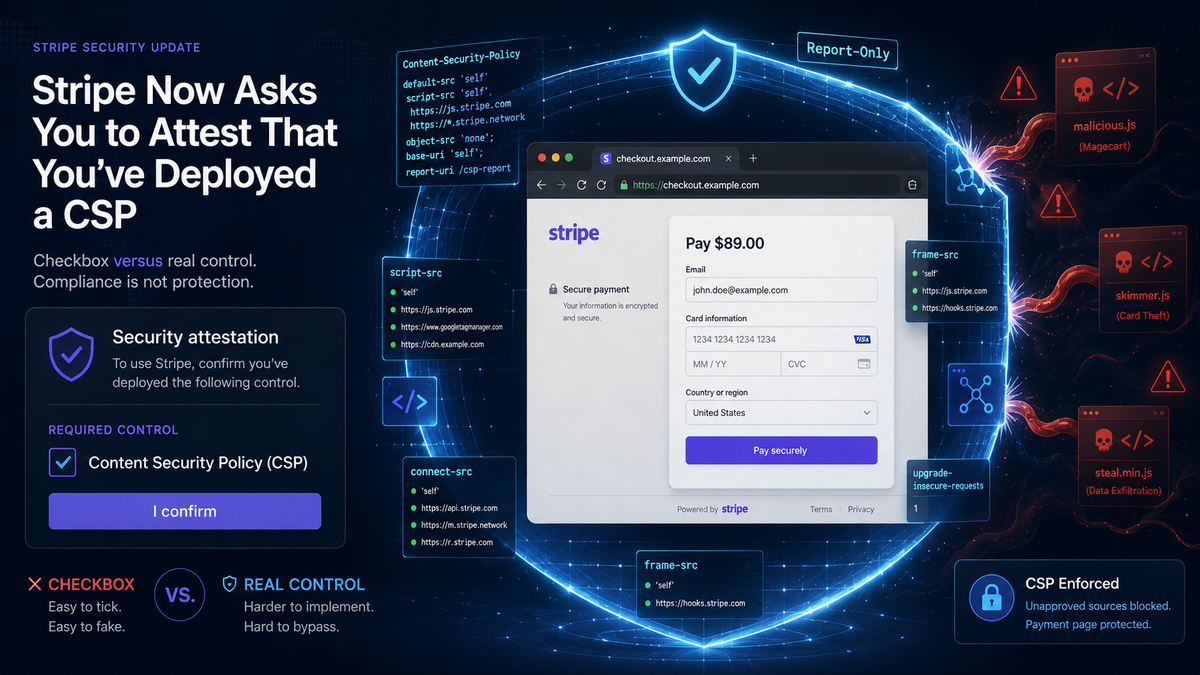
Stripe's PCI assessment now has a mandatory checkbox: confirm you've deployed a Content Security Policy. Here's what you're attesting to, and how to do it.

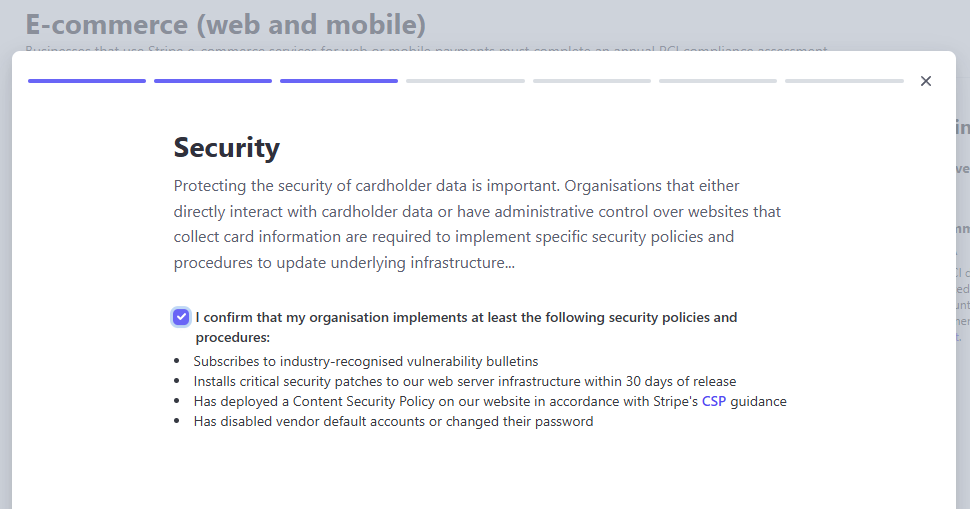
If you take card payments with Stripe, you complete an annual PCI compliance assessment inside the Stripe Dashboard. Step three of that flow is a screen headed Security, and it now contains a single checkbox with four bullet points under it. One of them reads:
Has deployed a Content Security Policy on our website in accordance with Stripe's CSP guidance
There is no "not applicable" option, no free-text box, and no way past the screen without ticking it. To finish your assessment, you confirm that a CSP is deployed. That is an attestation, not a recommendation.
For a lot of merchants, that checkbox is the first time anyone has told them a Content Security Policy is a payment problem rather than a security-team nice-to-have. This post covers what you're actually attesting to, what Stripe's guidance asks for, and how to get a policy live without breaking your checkout.

Why Stripe added it
This didn't come out of nowhere. It's the downstream effect of the PCI DSS 4.0 changes to SAQ A.

In January 2025 the PCI Security Standards Council revised SAQ A. It removed Requirements 6.4.3 and 11.6.1 from the questionnaire — the two requirements covering payment page script authorisation and change detection — and replaced them with a new eligibility condition. To use SAQ A at all, a merchant must now confirm that:
"their site is not susceptible to attacks from scripts that could affect the merchant's e-commerce system(s)."
That raised an obvious question: how do you show that? The council answered in FAQ 1588 in February 2025, giving two options. Either use techniques such as those described in 6.4.3 and 11.6.1 to protect your page, or get confirmation from your payment provider that their solution protects your payment page from script attacks.
Option 2 is the one people hope for, and it's the one that doesn't work in practice. Your payment provider has no visibility into your parent page. Stripe.js runs inside a page you control, on a domain you control, alongside scripts you chose. Stripe cannot attest to the security of markup it has never seen — and it has now made that explicit by asking you to attest to it instead.
That's the real message in the checkbox: the parent page is your responsibility, and Stripe has stopped being vague about it.
What Stripe's CSP guidance actually says
Stripe's security guide lists the sources you need to allow, broken down by which Stripe products you use. It's an allowlist, not a policy — an important distinction we'll come back to.
Stripe.js (Elements, Payment Element, most integrations):
script-src  https://js.stripe.com https://*.js.stripe.com
frame-src   https://js.stripe.com https://*.js.stripe.com https://hooks.stripe.com
connect-src https://api.stripe.com
img-src     https://*.stripe.com
Add https://maps.googleapis.com to script-src and connect-src if you use the Address Element with autocomplete.
Stripe Checkout (redirect or embedded):
script-src  https://checkout.stripe.com
frame-src   https://checkout.stripe.com
connect-src https://checkout.stripe.com
img-src https://*.stripe.comLink, if enabled, needs https://link.com and https://*.link.com in frame-src, connect-src and img-src. Connect embedded components add https://connect-js.stripe.com to script-src and frame-src. Embedded Onramp adds https://crypto-js.stripe.com and https://crypto.link.com.
Stripe also publishes a Trusted Types policy example that only permits script URLs matching js.stripe.com, which is a nice extra layer if you're already using Trusted Types.
The bit that catches people out
Stripe.js must be loaded directly from https://js.stripe.com. Stripe's docs are unambiguous:
"it should always be loaded directly from https://js.stripe.com, rather than included in a bundle or hosted yourself"Two consequences follow, and both matter for compliance.
First, you cannot pin Stripe.js with Subresource Integrity. Stripe updates that file continuously to detect fraud, so an SRI hash would break your checkout the moment they ship a change. If your plan for 6.4.3 was "SRI on everything", it stops at the payment provider's own script. A CSP allowlist is what covers it instead — which is precisely why Stripe is asking about CSP and not about SRI.
Second, self-hosting Stripe.js to dodge the CSP work doesn't just break Stripe's fraud detection, it can push you out of SAQ A eligibility entirely. Don't.
An allowlist is not a policy
Here's the gap between ticking Stripe's box and actually being protected.
Stripe's guidance tells you what Stripe needs. It says nothing about the other eleven scripts on your checkout page — the analytics tag, the session recorder, the chat widget, the A/B testing tool, the tag manager that can inject anything at any time. A policy containing only Stripe's domains will block Stripe from working and nothing else will change, because you'd never have shipped it. A policy that works is one that describes your whole page.
That's the actual work, and it's the work 6.4.3 was written about: know every script on your payment page, justify why it's there, and authorise it deliberately. The Stripe checkbox is the trigger. The inventory is the task.
The second half is 11.6.1 — detecting change. A CSP you wrote in March and never looked at again tells you nothing about the script a marketing contractor added in June. You need the policy to keep reporting, and you need someone or something watching those reports.
Report-only mode counts
The most common objection we hear is "I can't risk blocking something on checkout". You don't have to.
A CSP deployed with Content-Security-Policy-Report-Only blocks nothing. It authorises your known-good sources, reports everything that falls outside them, and leaves your page exactly as it is. That is enough to satisfy the authorisation intent of 6.4.3 and to feed the change detection 11.6.1 asks for. It is a legitimate, defensible compliance position, and it's the right first step for every merchant — including the ones who intend to enforce later.
Enforcement is stronger, and you should get there. An enforcing policy has the browser refuse unauthorised code at the moment it would have executed, which is the only control on this list that actually stops a skimmer mid-attack rather than telling you about it afterwards. But you move to enforcement when your policy is complete and your reports are quiet, not on the day you tick a box in the Stripe Dashboard.
What to do this week
- Deploy a report-only CSP on your checkout and parent pages with a
report-uridirective pointing at a collector. Nothing breaks; reports start arriving immediately. - Read the inventory it builds for you. Within a day you'll have a list of every script origin your payment page actually loads — usually longer than anyone expected, and far more accurate than asking around.
- Justify or remove each one. Anything you can't explain shouldn't be on a page that touches card data. This is 6.4.3's paperwork, and the report data writes most of it.
- Add Stripe's directives from the lists above, plus the sources you just confirmed you need, and keep the policy reporting permanently.
- Alert on anything new. A source that appears for the first time in month four is exactly what 11.6.1 exists to catch — and exactly what a Magecart skimmer looks like on the way in.

Where Report URI fits
We've been collecting CSP reports at scale since 2015. For this specific problem you get three things that matter:
- A live script inventory built from what browsers on your real checkout page actually report — the evidence 6.4.3 asks for, generated rather than hand-written.
- Change detection and alerting, so a new script origin on your payment page reaches you the day it appears instead of at your next assessment.
- Exportable, timestamped evidence you can hand to a QSA or attach to your own records, which is what turns "we ticked the box" into something you can stand behind.
And because your CSP is a header your servers send, our availability never affects your site. If we go down, your checkout keeps working exactly as before — we just stop receiving reports for a while.
You can start a 30-day free trial and have a report-only policy live on your checkout in under an hour. If you want the background first, the PCI DSS hub covers 6.4.3 and 11.6.1 in full, the evidence pack maps each requirement to the evidence an assessor will ask for, and our compliance guides walk through the setup step by step.
Stripe has told you a CSP is required. The only question left is whether yours is a checkbox or a real control.