Get The Evidence Before The Attack: Just Give Us 30 Seconds

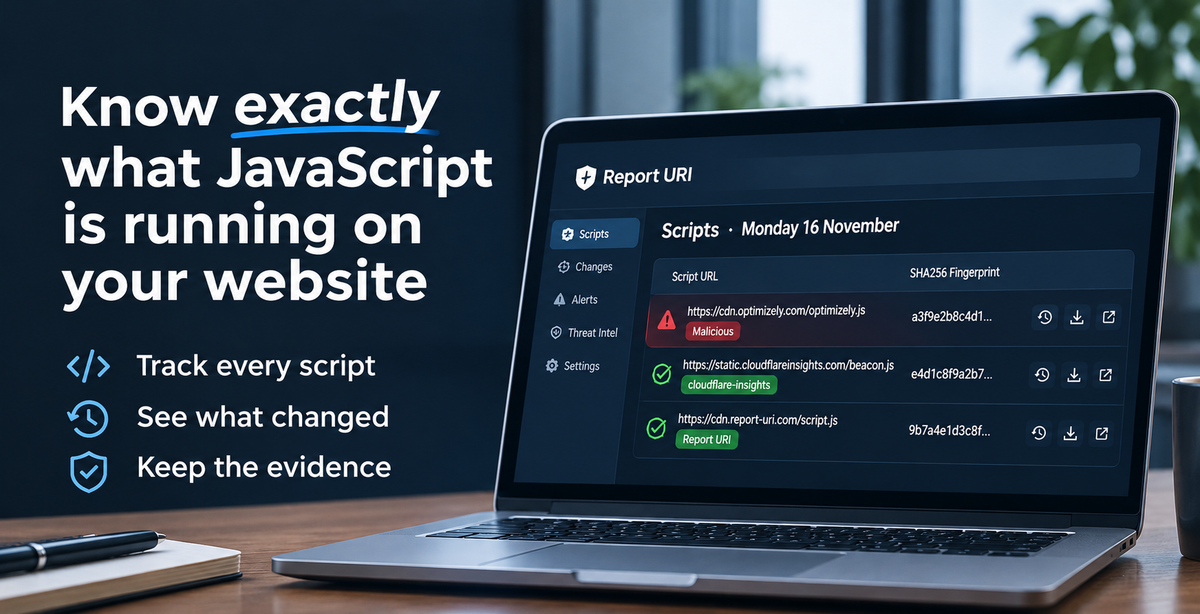
On 16 November, the Optimizely supply-chain attack affected some of the largest brands in the world. In the hours that followed, something quite remarkable happened.
Organisations affected by the attack started contacting us, asking for copies of the evidence we'd collected.
Some of these brands were household names, operating websites visited by millions of people every day, yet they couldn't answer a fundamental question:
What JavaScript code had actually run in their visitors' browsers?
We could.
And with just 30 seconds of your time, you could have that same visibility into your own website starting today, gathering evidence before, during and after the next attack.
Why You Need The Evidence Before An Attack
When a supply-chain attack happens, the malicious code might only be served for a few minutes or hours. By the time you discover the incident, the compromised script could already have been replaced with a clean version and vital evidence is now missing.
If you weren't monitoring what your visitors' browsers were actually loading at the time, that evidence might even be gone forever.
You can inspect the JavaScript being served by a third party today, but that doesn't tell you what they served yesterday, or what your customers received during an attack.
That's why having monitoring in place before an incident is so important. You need to know what changed, when it changed, and have the evidence available when you need to investigate.
How It Works
At Report URI, we use native browser technologies. That means we have no code you need to deploy because our features are already built directly into the browser itself. Chrome, Safari, Firefox and more, they all support core Report URI functionality out of the box.
All you need to do is tell the browser that you want it to hook into Report URI and start sending valuable information about exactly what code is running on your website.
Hooking the browser up to Report URI is easy and takes just two lines of configuration on your website, simply telling the browser where it needs to send the information.
Hooking The Browser Up To Report URI
When you sign up for an account with Report URI, you will be given your own unique subdomain on our service that you can customise. This is the address that your telemetry data will be sent to and is what ensures that your data will be processed into your account. Our address looks like this:
https://helios.report-uri.comWe chose Helios, the Greek god of the Sun, as he was known as the "all-seeing witness" due to the Sun sweeping over the Earth every day and observing everything. It seemed quite fitting!
Once you have your own unique address created, you need to add two lines of configuration to your website so the browser knows where to send the telemetry. These are known as HTTP Response Headers, they enable a feature we call CSP Integrity, and they look like this:
Content-Security-Policy-Report-Only: script-src 'report-sha256'; report-to default
Reporting-Endpoints: default="https://helios.report-uri.com/a/t/g"
These two headers do two things:
- They tell the browser that you want information about what code is running.
- They tell the browser where to send that information.
For technical staff, know that you can set these headers anywhere you like in your stack, it doesn't matter how you set them. For example you might set them in:
- Server config (IIS / Apache / Nginx / Caddy)
- Application code (PHP / .NET / Node.js / Python / Java)
- Middleware or reverse proxy (F5 BIG-IP / HAProxy / Traefik / Envoy)
- CDN or edge platform (Cloudflare / Fastly / Akamai / AWS CloudFront)
- Cloud infrastructure (AWS Application Load Balancer / Azure Application Gateway / Google Cloud Load Balancing)
- Hosting platform (Vercel / Netlify / Azure App Service)
It doesn't matter where you configure these headers, as long as they're included in the pages delivered to your visitors, you can choose whichever option works best for your infrastructure.
Note: If you already have a CSP configured, you can integrate CSP Integrity into your existing configuration without replacing the protections you already have. Our documentation explains how to do this.
You Now Have Visibility
This is what our dashboard looks like for report-uri.com if we query Monday 16 November, the day of the Optimizely breach:
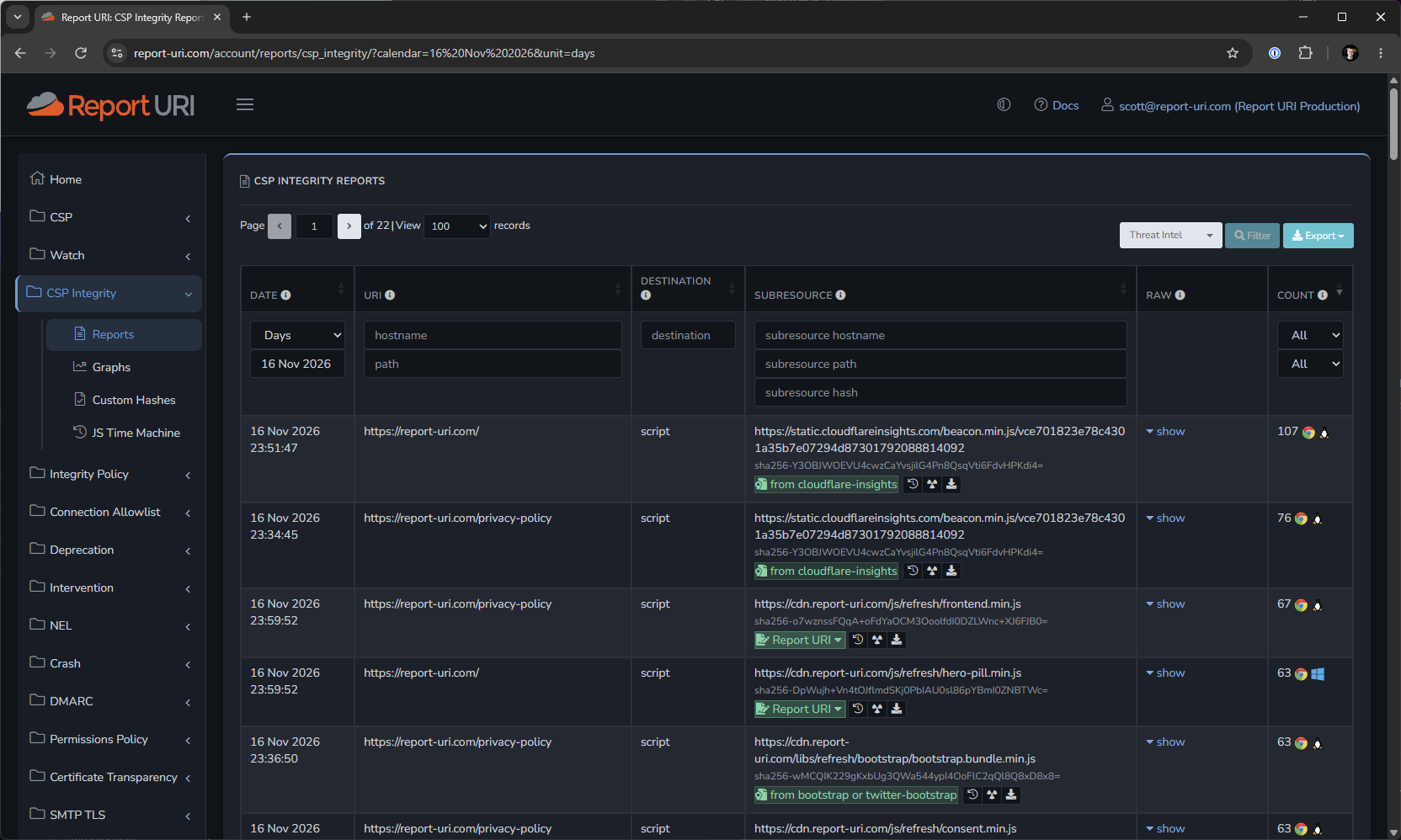
This level of visibility into the code running on your website is unprecedented, and it takes only a few seconds to start gathering it. I will provide some details about what's available on the screen here, because there's a lot of value.
- First of all, you can see each individual script file loaded on the page by its URL.
- For each script file, you can see the
sha256fingerprint of the file, so we know exactly what file was loaded. - The green markers like
cloudflare-insightscome from our verified fingerprint database, so we can ensure this is genuine Cloudflare code. We currently hold almost 18.9 million verified fingerprints. - The green markers that say
Report URIare our own verified code, and customers can upload their own custom fingerprint data for us to match against and verify the code is genuine. - The 'history' icon/button allows you to see the script in the JS Time Machine, so you can see historic versions.
- The 'download' icon/button allows you to download a copy of this version of the script from Script Vault.
- The 'x-ray' icon/button is a secret feature we're currently testing in beta and will be coming soon.
On top of the above, other features that you also have access to include Script Watch, where you can request notifications if your site starts loading a new script, or if one of your existing scripts changes its code. There's also Threat Intelligence, which will flag any of those scripts if we have detected suspicious or malicious activity, and this would have flagged the Optimizely scripts shortly after the attack started so you'd know there was a problem.
All of that is available based on the two response headers you set above and typically takes ~30 seconds to deploy, it's a phenomenal level of capability for such little effort.
Get Started Now
The next supply-chain attack is coming. We don't know when, or which organisations will be affected, but we do know how important having the right evidence will be when it happens.
The organisations affected by the Optimizely attack learned just how difficult it can be to investigate an incident without that visibility. You don't have to wait until something goes wrong to find yourself in the same position.
Don't wait until after an attack to find out you don't know what code is running on your website.
Get Started Now →
30-day free trial, no credit card required